# Hadoop源代码编译
- URL: https://www.yidoo.xyz/hadoop-source-compile
- 作者: 核动力蜗牛
- 发布时间: 2013-11-23
- 更新时间: 2013-11-23
- 分类: 技术笔记
- 标签: bigdata, hadoop
# Environment
OS: Ubuntu 12.04 LTS
Kernel Version: 3.8.0-33-generic
Hadoop: 2.2.0
# Pre-Compile
官方的 BUILDING.txt 给出的安装需求
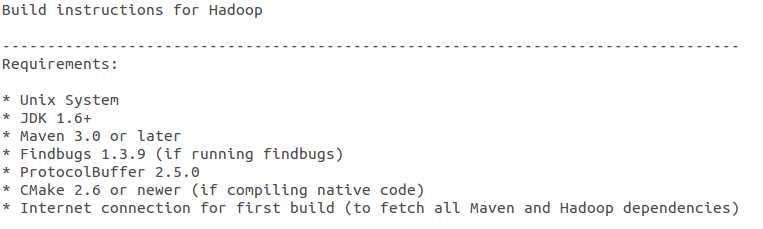
## 安装 JDK
```bash
sudo apt-get install openjdk-7-jdk
```
## 安装 Maven
```bash
sudo apt-get install maven
```
## 安装 Findbugs
Download:
设置环境变量
```bash
vi .bashrc
#set findbugs path
export FINDBUGS_HOME=/home/killua/Dev/findbugs-2.0.3
export PATH=$PATH:$FINDBUGS_HOME/bin
```
## 安装 ProtocolBuffer
Download:
在安装 protocolbuffer 之前需要先安装 g++
```bash
sudo apt-get install g++
```
安装 protocolbuffer
```bash
cd protobuf-2.5.0
./configure
make
make install
```
## 安装 CMake
```bash
sudo apt-get install cmake
```
# Compile
```bash
mvn package -Pdist -DskipTests -Dtar
```
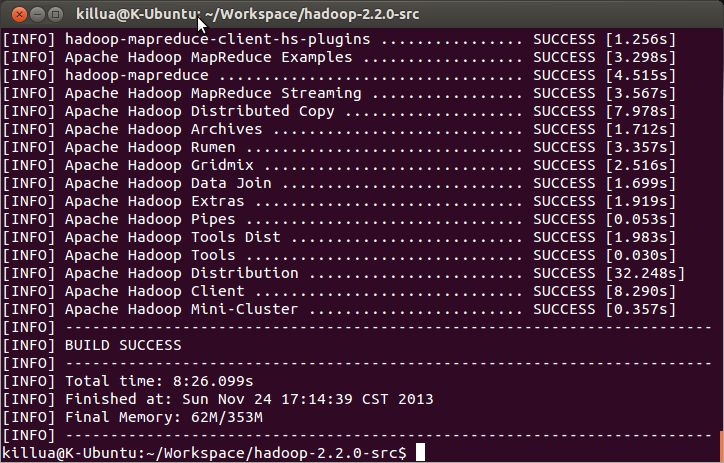
编译后的结果可以在 hadoop-2.2.0-src/hadoop-dist/target/hadoop-2.2.0 中看到

# 常见问题
1) error: cannot access AbstractLifeCycle
在编译的过程中出现/home/killua/Workspace/hadoop-2.2.0-src/hadoop-common-project/hadoop-auth/src/test/java/org/apache/hadoop/security/authentication/client/AuthenticatorTestCase.java:[88,11] error: cannot access AbstractLifeCycle 错误
经过查证发现是 hadoop2.2.0 的一个 bug,具体参见https://issues.apache.org/jira/browse/HADOOP-10110
解决方法:
修改 hadoop-2.2.0-src/hadoop-common-project/hadoop-auth/pom.xml,将
```xml
org.mortbay.jetty
jetty
test
```
修为
```xml
org.mortbay.jetty
jetty-util
test
org.mortbay.jetty
jetty
test
```